What is Confirmation of Payee?
Confirmation of Payee (CoP) adds a bank-verified check into the payout workflow to help reduce payout errors and misdirected funds. CoP only applies where a venue has EFT enabled as a payment method, and only to the EFT portion of a payout. Regardless of whether a patron is being paid the full amount or only part of their winnings by EFT.
How CoP Works
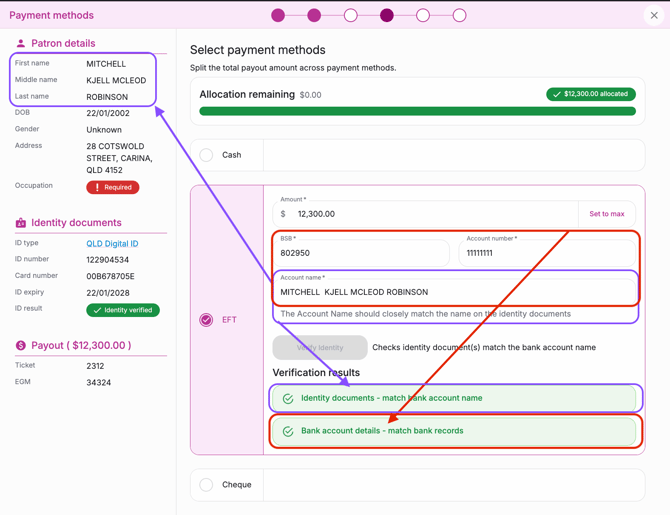
Once you've entered the patron’s bank account details, select Verify Identity to check the BSB, account number, and account name against ID and bank records.
CoP checks 3 verification points:
- Account Holder Name - does it match the ID details taken at the beginning of the payout?
- The Bank Account - is a real account connected to a valid Australian bank
- Account Holder Name - matches name on that same bank account
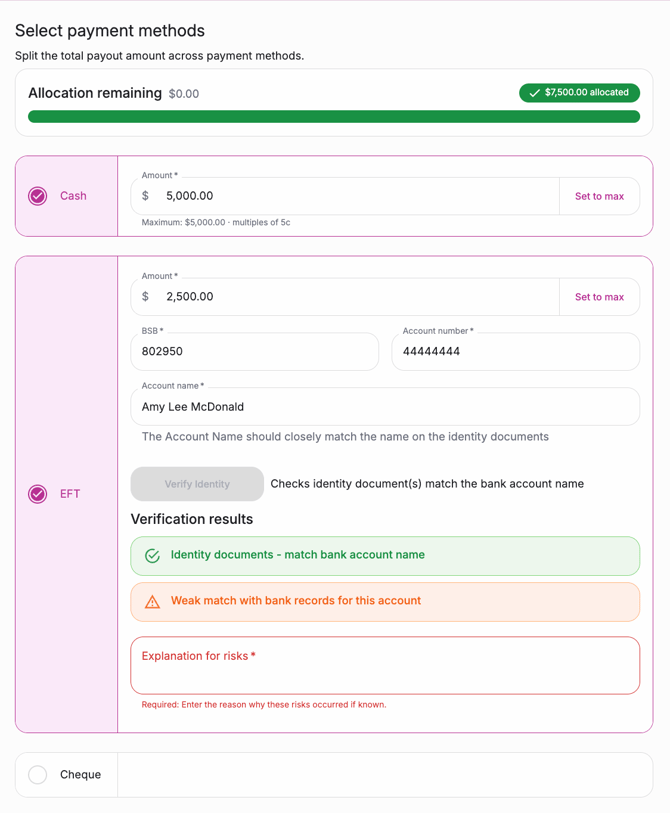
The check can return different results, each requiring a different level of care before you proceed. The table below sets out what's required for each result.
|
Match |
The account name matches the patron name on file. ➡️ Proceed with the payout. |
|
Close match |
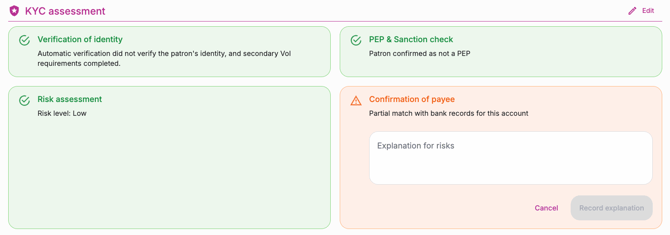
The account name is a close match to the patron’s name (e.g. a minor spelling difference). Staff should confirm the account details before proceeding. ➡️ Users must enter a reason for accepting the risk before continuing. |
|
Weak match |
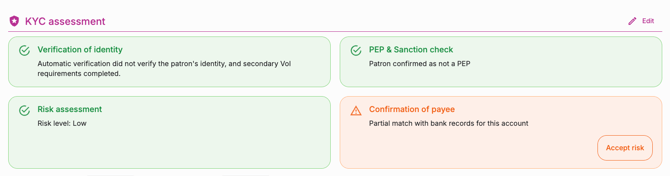
The account name only partially matches the patron’s name. ➡️ Users must enter a reason for accepting the risk before continuing. |
|
Does not match |
The account name does not match the patron’s name at all. ➡️ The user will be unable to proceed with the payout and will need to revise the details given from the customer |
|
Account not found |
We were unable to find the bank account from the BSB and account number provided. ➡️ The user will be unable to proceed with the payout and will need to revise the details given from the customer |
|
Account closed |
The account has been closed and can no longer be verified. ➡️ The user will be unable to proceed with the payout and will need to revise the details given from the customer |
Reviewing payouts with CoP information
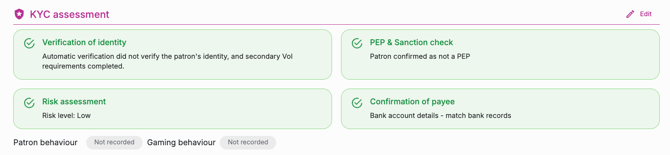
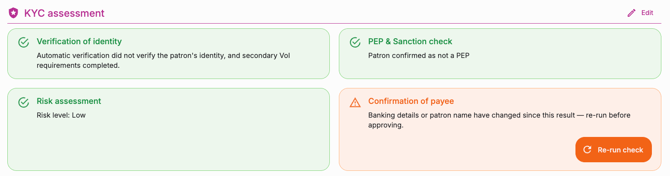
When a manager reviews a payout, the CoP result and any notes entered by staff will be shown in the KYC assessment section, alongside identity verification and PEP & sanctions check results. This gives managers full visibility into payout risk in one place.
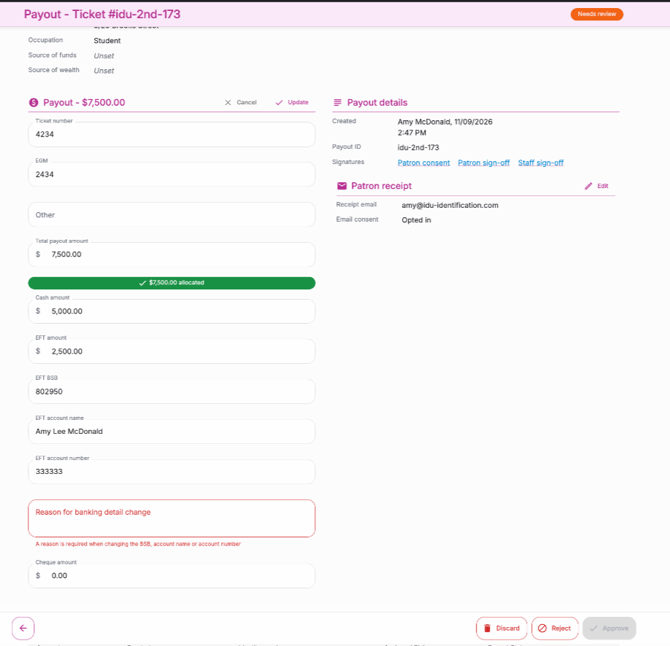
Editing EFT details during review
Managers reviewing a payout can select Edit in the payout section and adjust payment details directly, rather than starting a payout again. If any EFT details are changed, a reason for the change must be entered in the notes section.
A CoP result is only valid for the account details it was run against, changing any banking details automatically invalidates the previous CoP result. This means that managers must re-run the CoP check before the payout can be approved.
|
|
|
|
|
|
You can now continue with reviewing the payout.
Venue Settings for CoP
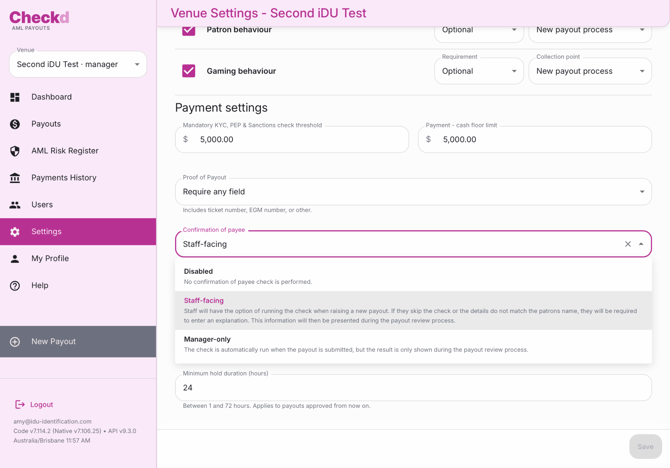
Venues will be able to configure how CoP results are shown, and whether the check is required at all.
Head to Settings > Payout Settings > Scroll to the bottom of the page till you see Confirmation of Payee.
- Staff-facing (default): Users with a staff role see the CoP result when raising a payout, so they can address any mismatch immediately.
- Manager-facing: staff trigger the CoP check when raising a payout, but the result is hidden from them and only visible to managers during payout review.
- Disabled: CoP checks are turned off for the venue.