The VoI Checks tab allows you to configure how staff should proceed when the automatic Verification of Identity (VoI) check for a patron was unsuccessful. This process can be customised to suit your venue’s AML/CTF program.
The secondary VoI check can be set to:
- Simple ID check — Take a photo of 1 or more forms of secondary ID, or
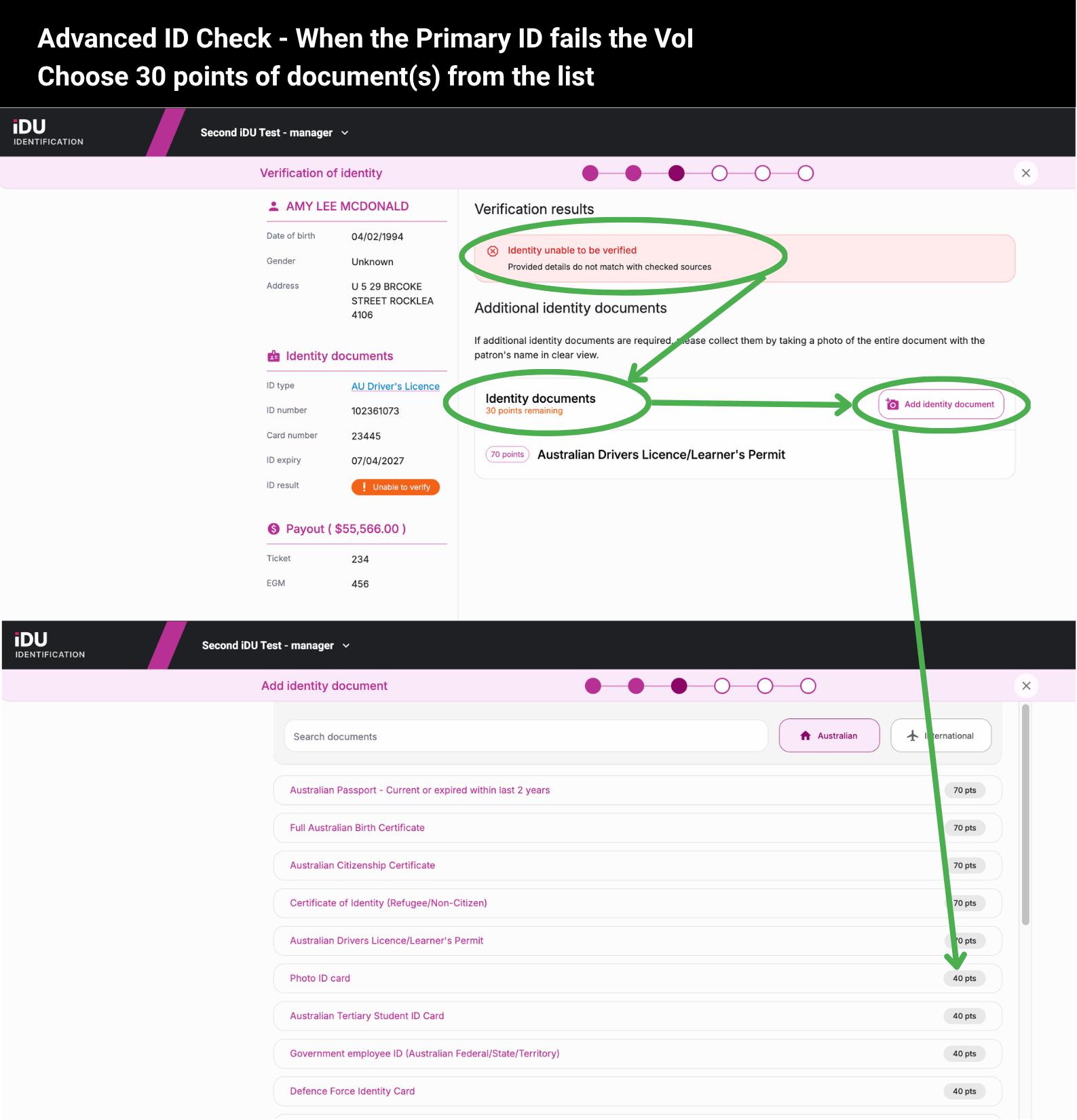
- Advanced ID points check — Take photos of enough secondary forms of ID to meet a required number of points.
Both options are explained in more detail below.
Simple ID Check
Requires capturing a set number of secondary ID documents before the payout can continue. You can select which ID document types are available for the user to choose from for the secondary VoI check.
Example: If the automatic VoI check of the patron’s primary ID is unsuccessful, the staff member will need to obtain one suitable secondary ID document from the patron before they are able to proceed with the payout.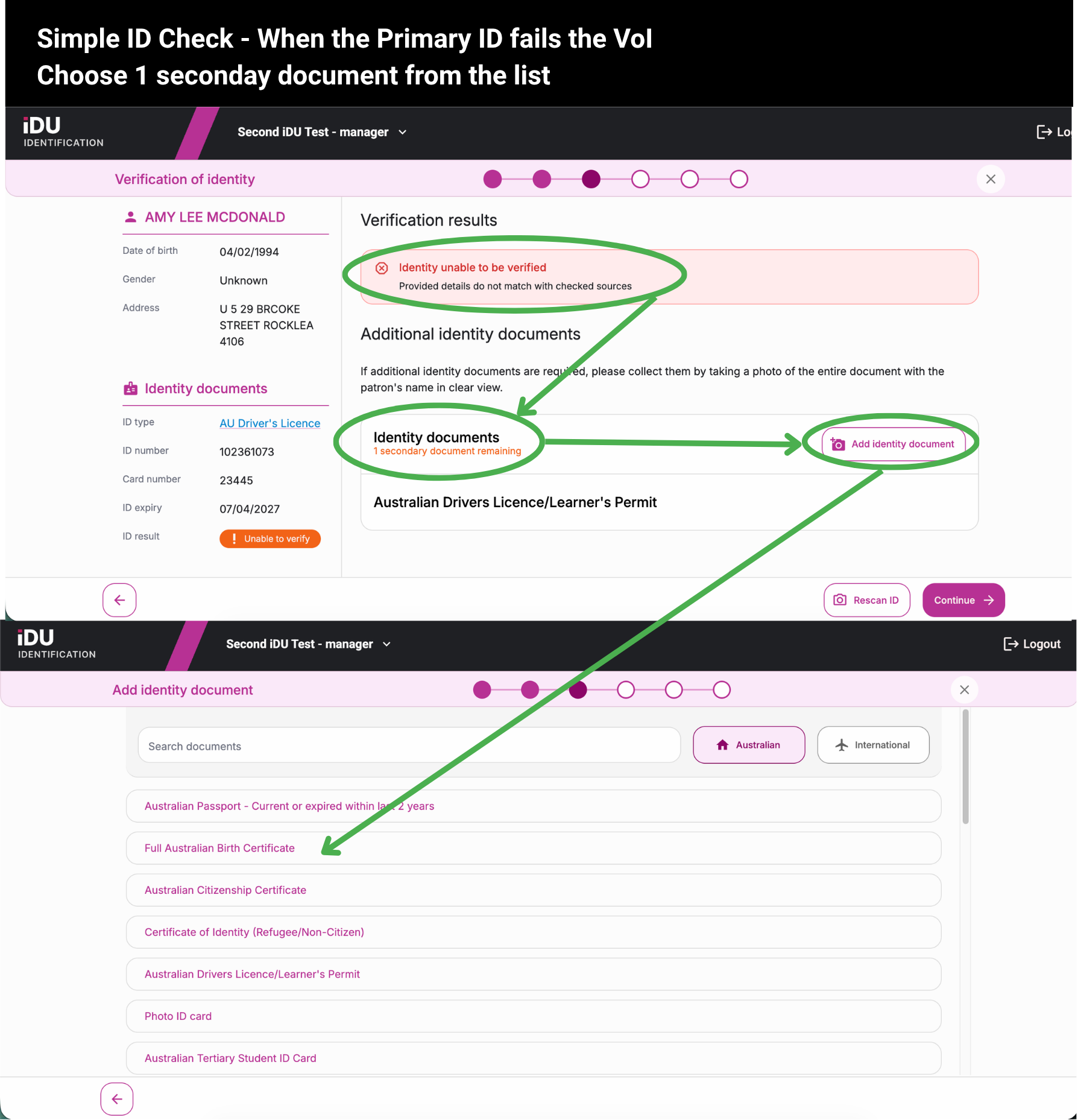
Advanced ID Check
Requires a set number of ID points to be reached by capturing secondary ID documents before the payout can continue. Each ID document type represents a points value, which can be customised to suit your venue's AML/CTF program.
Example: If the automatic VoI of the patron’s primary ID is unsuccessful, and your venue requires 100 points of ID, this could be satisfied with the licence (already taken in step 1) Medicare card (25 points) and a bank card (10 points), totalling 35 points and allowing the payout to continue.